
CRM for Event Management: Manage Clients, Tasks, and Events in One Place

Managing a large number of moving components at once, such as incoming enquiries, venue confirmation, vendor coordination, and invoicing, is part of running an event management company. Things get overlooked when you’re using spreadsheets, sticky notes, and emails for all of these tasks. Your clients’ work, sales, and project tasks are all consolidated into one well-organised platform with Nexleon CRM for event management, allowing you to spend more time creating fantastic events and less time chasing them.

Why Event Companies Need a Customer Relationship Software

The majority of event companies eventually reach a point where their current method of operation begins to falter if they are without a CRM for event management. An enquiry arrives late on Friday, is noted somewhere, and by Monday, it has already been overlooked. Simultaneously, a client requests a proposal you promised, but you’re not sure which version you previously shared.

The issue is not a lack of effort, but rather the absence of a suitable system. A lead is likely to go to a competitor if you don’t follow up on it within 24 to 48 hours. Furthermore, as new enquiries continue to come in, contracts must be signed, deposits must be collected, tasks must be assigned, and progress must be tracked.

All of this work is consolidated into one place with an event management CRM. And if you are looking for one, Nexleon stands out as a powerful option. It is appropriate as a CRM with event management capabilities and provides features for various industries. Instead of juggling emails, spreadsheets, and disparate tools, your team can manage leads, proposals, contracts, tasks, and payments on a single, well-organised dashboard by implementing it.

Key Features of Nexleon CRM for Event Management Companies

Lead Tracking That Keeps Every Enquiry Visible

With Nexleon's event lead management tools, every new enquiry gets logged and placed in a pipeline stage — whether it's a wedding enquiry, a corporate event, or a product launch. There are several ways to collect leads using it, but the main ones are CSV imports, email integration, manual entry, and custom web-to-lead forms. Since it is a robust event CRM software, you can add notes, set follow-up reminders, and move leads through stages using a visual kanban board. Nothing gets forgotten, and your team always knows which leads need attention today.

Send Proposals and Estimates Before Clients Commit

Many clients want a rough cost breakdown before they're ready to sign anything. Nexleon lets you build a detailed estimate in minutes, share it with the client online—no login is required on their end—and convert it directly into an invoice once they give you the go-ahead. When a client is ready to move forward, you can also send a branded proposal with images, pricing tables, and service details, all from inside the CRM. These are essential features of event management CRM that remove friction from your sales process.

Contract Management with Digital Signing

Event bookings need contracts. Nexleon's contract management module lets you create, send, and get contracts signed digitally — no printing, scanning, or waiting for the post. The system tracks signed and unsigned contracts, sends automated expiry reminders, and keeps the full contract history in one place. Many businesses in this profile search for CRM software event management companies on Google because they need this feature. It is because this audit trail is critical for avoiding disputes and managing renewals.

Project Management, Task Tracking, and Billable Expenses

The real work begins once you confirm a booking. Nexleon lets you create a project for each event, assign tasks to team members, set deadlines, and track time logged by each staff member. But what makes the software especially useful for event planners is the expense tracking — you can record every cost against the relevant project, from venue deposits and catering to equipment hire and transport and mark each one as billable to the client. When it's time to invoice, you can easily include those already attached expenses. These are fantastic features that you can rely on when you go with Nexleon as your choice for CRM for event management.

Invoicing and Payment Tracking

Chasing payments manually is a common drain for event businesses. The Nexleon event management CRM system capabilities enable you to create professional invoices, link them to client emails, and monitor their payment status. You can set up recurring invoices for retainer clients or multi-payment schedules for large events with staged deposits. Partial payments are supported, and the system auto-generates payment confirmations for clients — so there's less back-and-forth over what's been received.

Post-Event Surveys to Collect Client Feedback

Once an event wraps up, knowing what the client actually thought is valuable — both for improving your service and for winning repeat business. Nexleon's built-in survey tool lets you send a short feedback form directly to clients after the event. You can review responses inside the CRM and use that data to spot patterns across bookings. It's also a natural way to reopen conversations about future events.

A Calendar That Shows Everything at Once

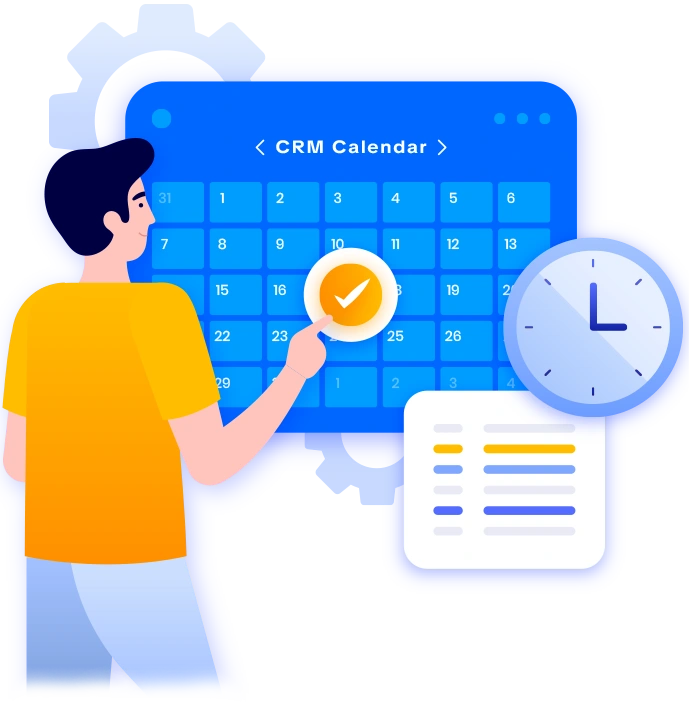
Between event dates, contract expiry deadlines, estimates, follow-ups, and task due dates, event coordinators have a lot to keep track of. Nexleon’s built-in calendar, as part of its CRM for event management, pulls all of these elements into a single view—so your team can see what’s coming without digging through separate tools. Moreover, it ensures that nothing important sneaks up on you at the last minute.

Reports That Show You Where Your Event Business Actually Stands

The event marketing CRM reporting tools in Nexleon give you a clear view of income from clients, outstanding invoices, lead conversion rates, and overall business performance. With Nexleon as your choice for an event management CRM system, you can filter by date, customer, or project and export what you need. Rather than guessing which event types are most profitable, you can see it directly in the data.

What You Gain When You Use CRM for Event Management

Switching to a proper CRM event management software changes how your whole business runs. Here’s what most Nexleon users notice within the first few weeks:

Built for Small Teams, Ready for Growing Agencies

Whether you’re a solo event planner handling ten weddings a year or a team managing fifty corporate events a quarter, Nexleon customer relationship management SaaS software is your choice for CRM for event management. You don’t need a technical background to set it up, and you don’t need to buy separate tools for invoicing, project management, and contracts. The CRM software for event management companies covers all of it without the enterprise price tag.

You can assign work faster and with better efficiency, transfer client records smoothly between team members, and eliminate reliance on one person’s inbox. That kind of consistency matters when your reputation is built on events going exactly as planned.

What Our Clients Say

Ready to Use CRM for Event Management Without the Chaos?

If you’re still managing clients, contracts, and proposals across separate tools, you’re making your job harder than it needs to be. Nexleon CRM, with features fantastic for the event management field, puts everything in one place—from the first enquiry to the final payment—so your team can focus on delivering events that clients remember. Pick Nexleon as your CRM for event management and see how it helps you streamline several important tasks, including team collaboration, lead management, invoice and client communication, etc.
Scroll to Top